Setting up a status page: what to show and what to leave off状态页怎么搭:该放什么,不该放什么
A status page is only useful if people believe it. How to pick components, link them to real checks, write incident updates, and keep API status honest.状态页只有让人信得过才有用。怎么划分组件、把它们接到真实的检测上、怎么写故障更新,以及怎么如实展示 API 的状态。
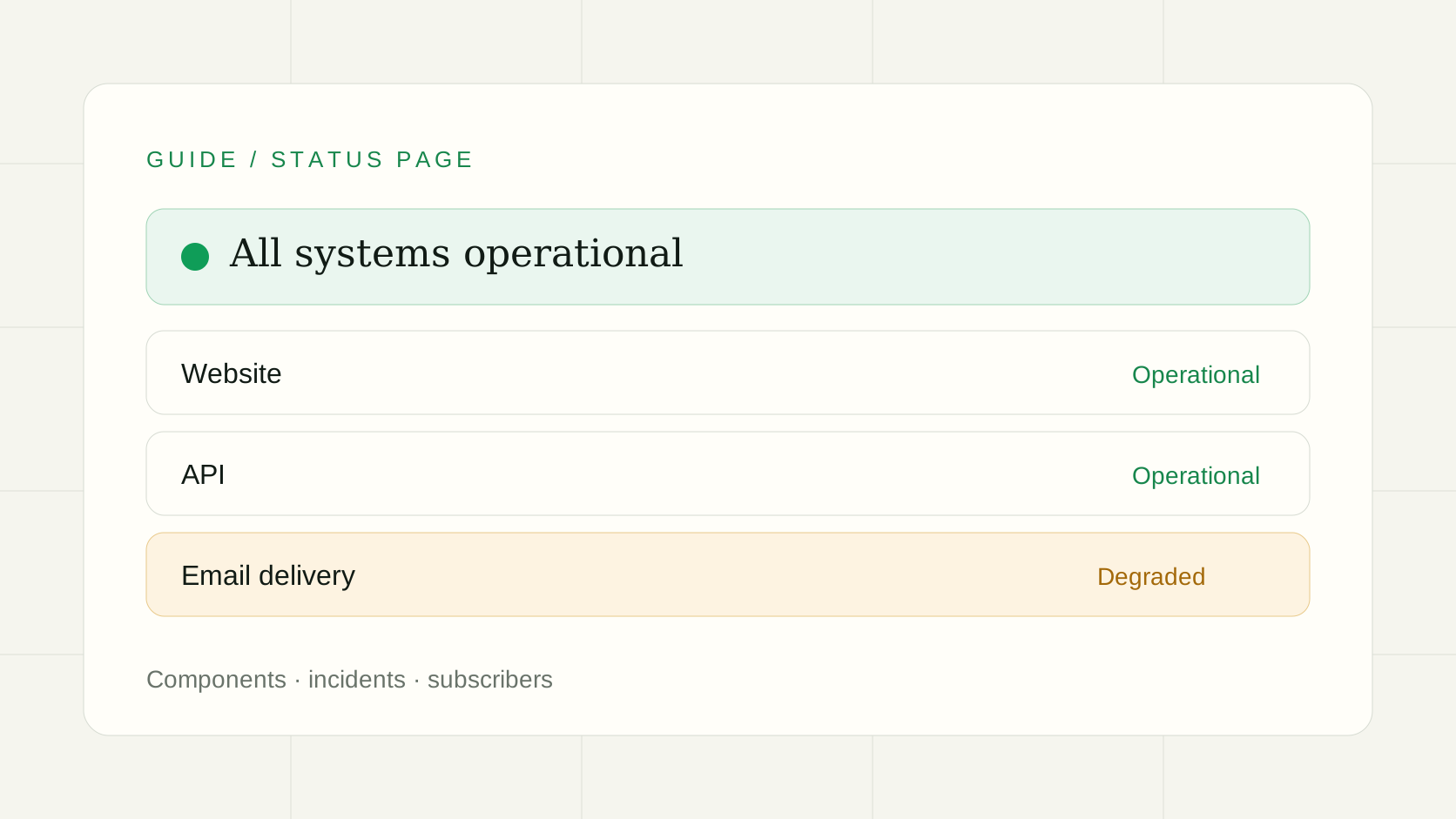
The first time something breaks, you find out that a status page is not really about the page. It is about the ten minutes before you have anything to say. Customers are refreshing, support is copy-pasting the same answer, and you are still reading logs.第一次出故障的时候你才会发现,状态页的价值不在页面本身,而在你还没查清原因的那十分钟:客户在不停刷新,客服在重复粘贴同一句话,你还在翻日志。
Here is how I would set one up for a small product, and the mistakes that make people stop trusting it.下面是我给一个小产品搭状态页的做法,以及哪些错误会让人不再相信它。
Start from what customers notice从客户感知到的东西开始
Do not list your servers. Customers do not care that the queue worker is down; they care that exports never arrive. Name components after what they do: "Website", "API", "Sign-in", "Email delivery". Four to eight is plenty. A page with forty rows is a page nobody reads, and a red row that means nothing to the reader only creates questions.不要把服务器一台台列出来。客户不关心队列 worker 挂了,只关心导出的文件一直没到。组件按功能命名:“网站”“API”“登录”“邮件发送”,四到八个就够了。四十行的页面没人会看,一个读者看不懂的红色条目只会带来更多提问。
Link every component to a real check每个组件都接到真实的检测上
A status page that someone has to update by hand is always late, and it is the page that says "operational" while the site is on fire. Link each component to a monitor, so the page reflects what your checks see. In OpenUptime you pick the monitors when you build the page, and the bar changes when a check fails.靠人手动更新的状态页永远慢半拍,还会在网站已经着火时显示“一切正常”。把每个组件接到监控上,页面就跟着检测结果走。在 OpenUptime 里,创建状态页时选择对应的监控,检测失败时状态条会随之变化。
This is also where good checks matter. A monitor that only requests the homepage will stay green while sign-in is broken. Check the thing the component promises: a login endpoint, a health route that touches the database, a heartbeat from the job that sends email.这也是检测质量的重要之处。只请求首页的监控,在登录坏掉时仍然是绿的。要检查组件所承诺的那件事:登录接口、会访问数据库的健康检查路由、发邮件的任务发来的心跳。
API status needs a bit more careAPI 状态监控要多留意几点
If developers depend on your API, "the server answers" is not enough. A 200 with an error body, a slow response, a 401 that suddenly appears after a deploy: all of these are outages for the person calling it.如果开发者依赖你的 API,“服务器有响应”并不够。返回 200 但内容是错误信息、响应变慢、部署后突然出现的 401,对调用方来说都是故障。
- Check the response, not just the status code. Assert on a keyword or a field in the body.检查响应内容,而不只是状态码。对响应体里的关键字或字段做断言。
- Use a response-time limit. An API that answers in nine seconds is down for most clients.设置响应时间上限。九秒才响应的 API,对大多数客户端来说就是挂了。
- Check an authenticated route. Public health routes often work while the auth layer is broken.检查一个需要鉴权的接口。公开的健康检查路由常常正常,而鉴权层其实已经坏了。
- Check from more than one region if your users are spread out, so a regional problem is not mistaken for a global one or missed entirely.用户分布较广时,从多个区域检测,这样区域性问题既不会被当成全局故障,也不会被漏掉。
Write the incident update like a person故障更新要像人写的
The hardest part is the words. Three rules that have held up for me:最难的是措辞。有三条对我一直管用的规则:
- Say what customers see first, then what you are doing. "Some exports are delayed. We are working on it." beats "Elevated queue latency."先说客户看到了什么,再说你在做什么。“部分导出延迟,我们正在处理”,好过“队列延迟升高”。
- Post early, even without a cause. "We are investigating" at minute five is worth more than a perfect report at minute sixty.尽早发布,哪怕还不知道原因。第五分钟的“正在排查”,比第六十分钟的完美报告更有价值。
- Say when the next update will come, and keep to it, even if the update is "no change".说明下一次更新的时间,并且守时,即使内容是“暂无进展”。
After it is fixed, leave the incident on the page. History is what shows a new customer that you are straightforward about problems.修复后,把这次故障留在页面上。历史记录能让新客户看到,你对问题是坦诚的。
Let people subscribe让人可以订阅
Nobody checks a status page on a good day. Subscribers get an email, or follow the RSS feed, when something changes. Subscriber emails count against your email allowance, so on the hosted service keep an eye on that during a long incident. Self-hosted, you bring your own mail provider.没有人会在风平浪静时去看状态页。订阅者会在状态变化时收到邮件,或通过 RSS 获取更新。订阅邮件会计入邮件额度,所以在托管版上遇到长时间故障时要留意用量;自托管则使用你自己的邮件服务。
Host it away from the thing it reports on不要把它放在被监控对象的同一处
If your status page lives on your own server, it goes down with it. Put it somewhere that does not share the failure. OpenUptime serves status pages separately from your application, and you can also embed a live status badge on your site, in a README or in an email; see the embed guide.如果状态页就放在自己的服务器上,服务器一挂它也跟着挂。要把它放在不共享故障的地方。OpenUptime 的状态页与你的应用分开提供,你还可以把实时状态徽章嵌入网站、README 或邮件,参见嵌入指南。
Open source, if you want to own it想自己掌控,可以用开源版
Everything above, including monitoring, alerts to Slack, Telegram, email and other channels, and public status pages, is in the MIT edition, so you can run it yourself with Docker or on Cloudflare Workers. Setup steps are in the self-hosting guide. If you would rather not run it, the hosted service has a free plan.以上这些,包括监控、通过 Slack、Telegram、邮件等渠道的告警,以及公开状态页,都在 MIT 开源版里,可以用 Docker 或 Cloudflare Workers 自己部署,步骤见自托管指南。如果不想自己运维,托管版也有免费套餐。
Common questions常见问题
- Do I need a status page if I already have uptime monitoring?已经有网站监控了,还需要状态页吗?
- Monitoring tells you something is wrong. A status page tells your customers that you know. Without one, every outage turns into a pile of support emails asking the same question.监控让你知道出了问题,状态页让客户知道你已经知道了。没有状态页,每次故障都会变成一堆内容相同的客服邮件。
- Can the status page update itself when a check fails?检测失败时,状态页会自动更新吗?
- Yes. Each component is linked to one or more monitors, so a failing check changes its status on the page. Write the explanation yourself, because a red bar alone does not tell customers what to do.会。每个组件关联一个或多个监控,检测失败时组件状态随之变化。但原因说明要自己写,光有一条红色的状态条,客户并不知道该怎么办。
- Is the OpenUptime status page open source?OpenUptime 的状态页是开源的吗?
- Yes. Monitoring, alerting and public status pages are all in the MIT edition and can be self-hosted. A custom domain per status page is a hosted Team feature.是。监控、告警和公开状态页都在 MIT 开源版里,可以自托管。每个状态页绑定自定义域名是托管版 Team 套餐的功能。